
One people layer for every assigned application.
Workspace Hub
One governed hub for every Vividia application
Vividia Workspace is the control layer for your organization: users, roles, application access, subscriptions, integrations, activity and support all stay connected before teams move into specialist products.
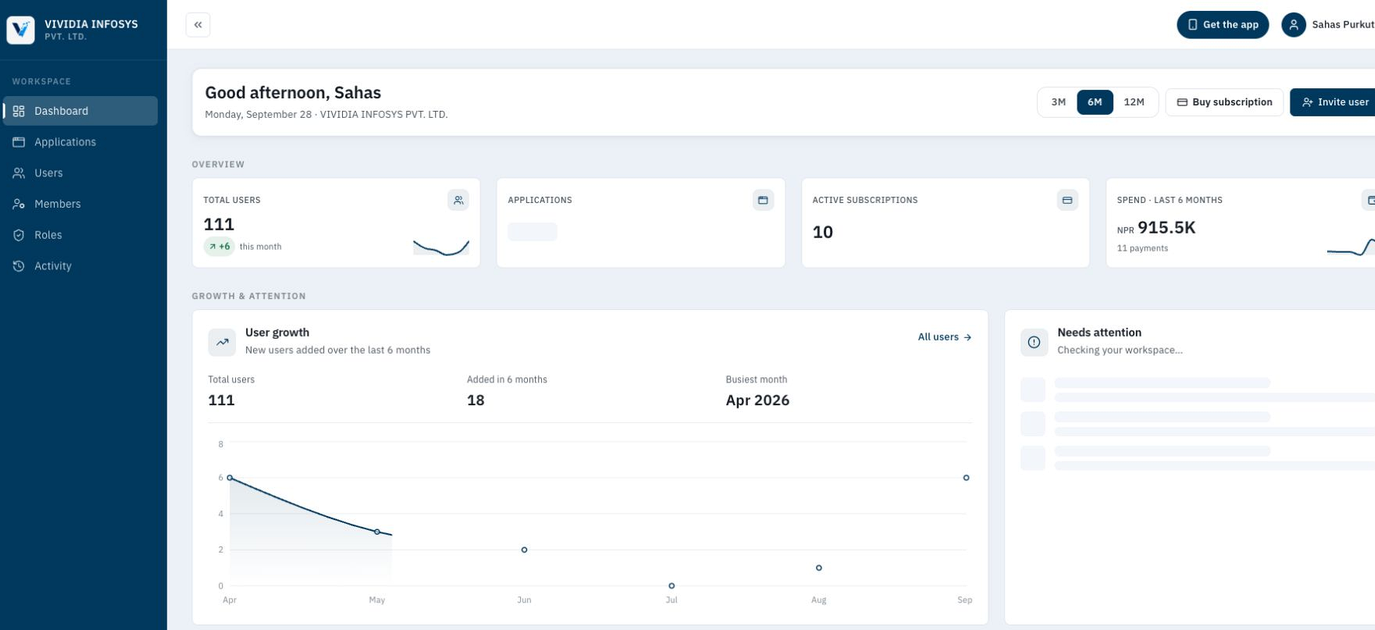
Products, renewals and access in one governed view.
Permissions arranged around real operating responsibilities.
Why Workspace exists
The Suite grows cleaner when access starts in one place
Each Vividia application can stay specialized. Workspace keeps the shared administration work calm, visible and controlled.
One entry point
Give teams a consistent place to sign in, find assigned products and move between daily work without hunting for separate portals.
People and roles together
Create users, assign applications, attach roles and review access from the same workspace model.
Operational attention
See subscription changes, new users, support requests and workspace activity before they become admin surprises.
Connected services
Manage email, push, SMS and payment integrations that support the products your organization runs.
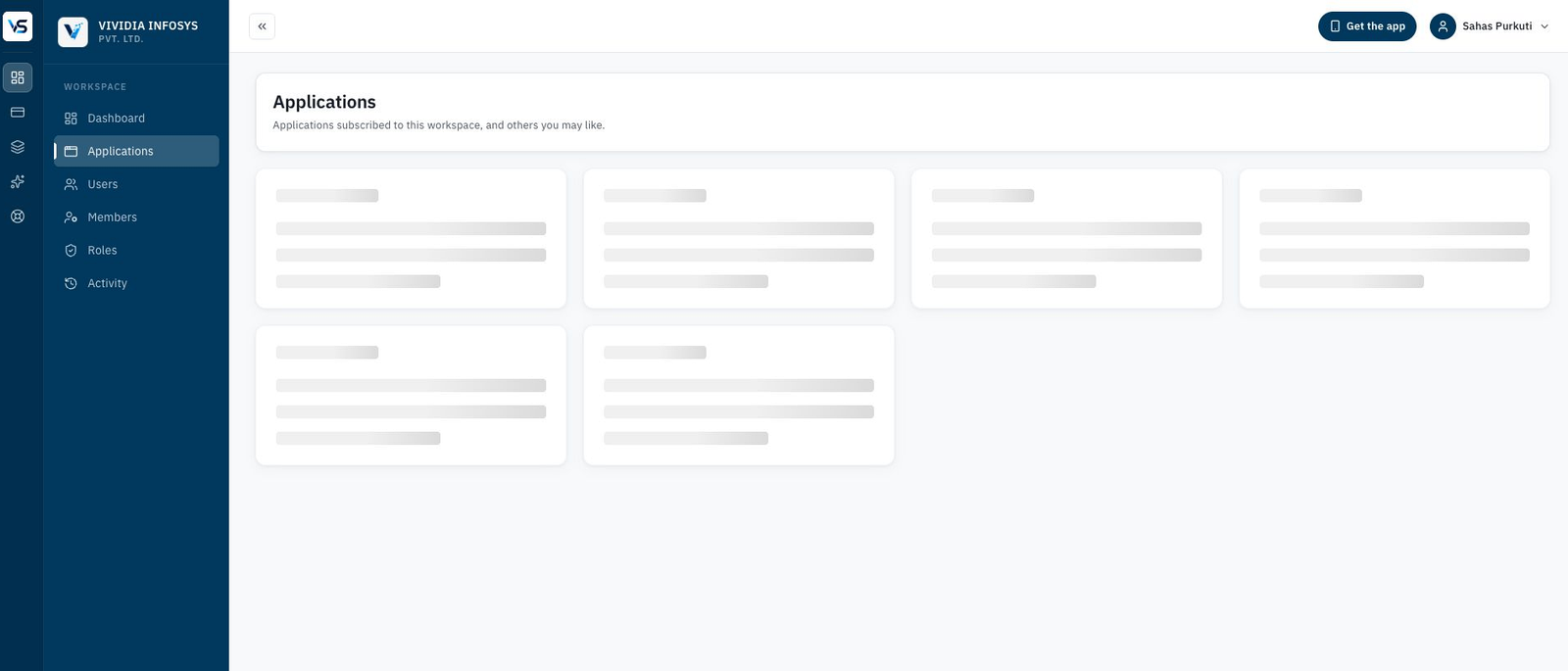
Application portfolio
Know what your organization runs, what is active and what needs action.
Workspace turns the Suite into a governed portfolio. Administrators can see subscribed applications, renewal windows, active or inactive products and recommended services without opening every product separately.
- Application launcher
- Subscription status
- Renewal visibility
- Recommended services
Users and access
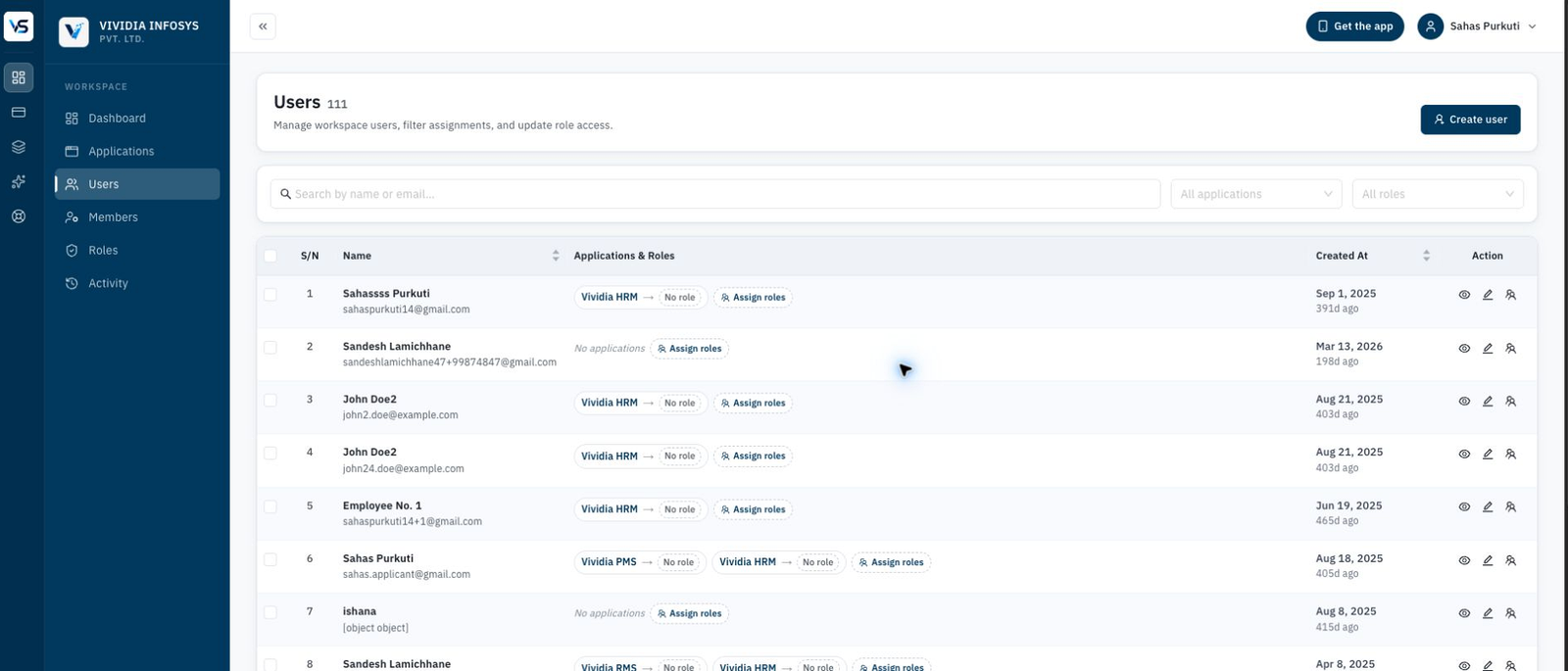
Control who can enter each application before work begins.
User management belongs at the ecosystem layer. Workspace keeps application assignments and role access visible, so HR, finance, education, inventory and operations teams are governed from one place.
- Workspace users
- Application assignments
- Role prompts
- Access review
Role governance
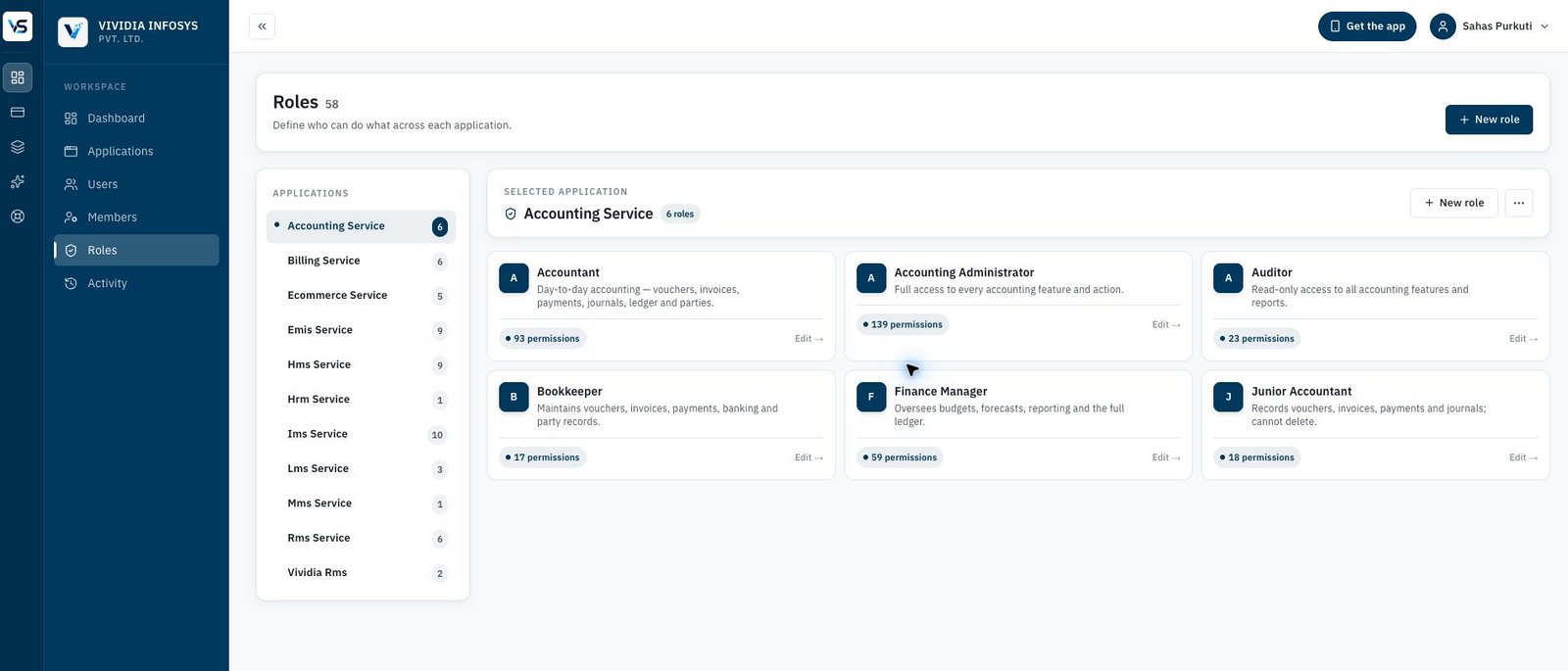
Make permissions understandable for administrators and accountable for teams.
Roles are organized by application, so each product can keep its own depth while Workspace keeps the larger access model readable for owners and administrators.
- Application-specific roles
- Permission groups
- Clear ownership
- Governed expansion
Platform services
Keep the surrounding services close to the products that depend on them.
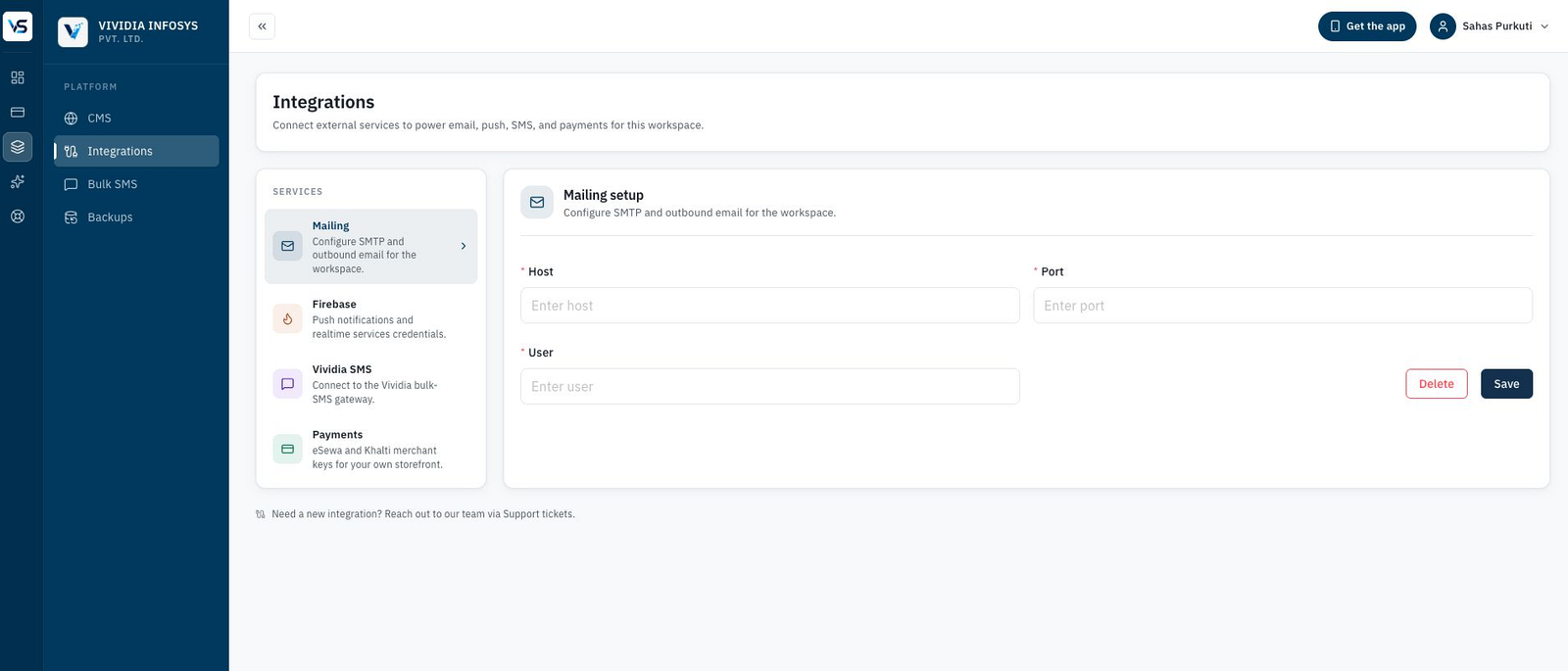
Email, push, SMS and payment services are part of real operations. Workspace gives administrators a practical place to configure and review the services that keep communication and transactions moving.
- Mail configuration
- Push services
- SMS gateway
- Payment keys
Support and accountability
Resolve issues with the same organizational context your software runs on.
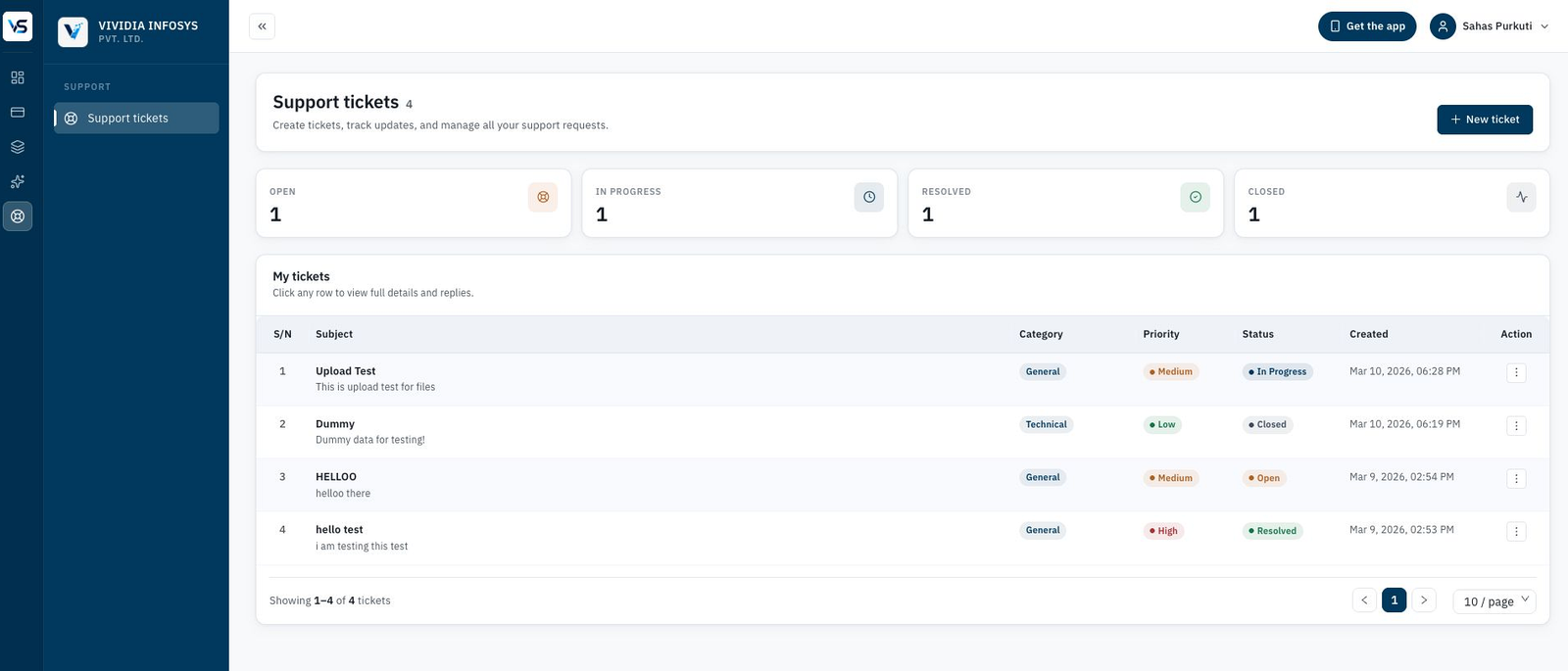
Support tickets, activity history and workspace updates stay attached to the organization. That gives administrators a clearer record of what changed, what needs follow-up and where support is active.
- Support tickets
- Ticket status
- Activity history
- Organization context
Web and mobile entry
One workspace code. One role-aware experience.
Administrators manage people and access in Workspace; teams sign in through the web or Vividia Suite mobile app and see only the applications, routes and actions assigned to them.
Approvals, assigned work and workspace context are available through the Vividia Suite app.
Users enter through the same organization context while permissions stay attached to their role.
Start with one product, then add more applications without rebuilding identity each time.
Support and activity stay connected to the workspace, so accountability travels with the organization.

See it around your workflow
See how Workspace can govern your Vividia Suite rollout
Book a personalized demonstration or start with a general conversation.